Project Organization
Group frames into projects and track your imaging progress
Pick up a target you last worked on months ago without adding up exposure times by hand. A project collects the sessions of one target and shows the accumulated integration against your goal for each filter.
Projects and goals
Create a project for each deep-sky object and set the integration time you want per filter: L, R, G, B, Ha, OIII, SII and so on. A progress bar shows how far each filter is from its goal, and you get a notification when a project reaches its goals. Frames are assigned to projects automatically, based on the target.
For every project you also see the total exposure per filter, the number of frames, the rejection rate, quality metrics and the date of the last session. The main dashboard is built from widgets you choose yourself, and it lists all your projects with their completion percentage.
Sky map and mosaics
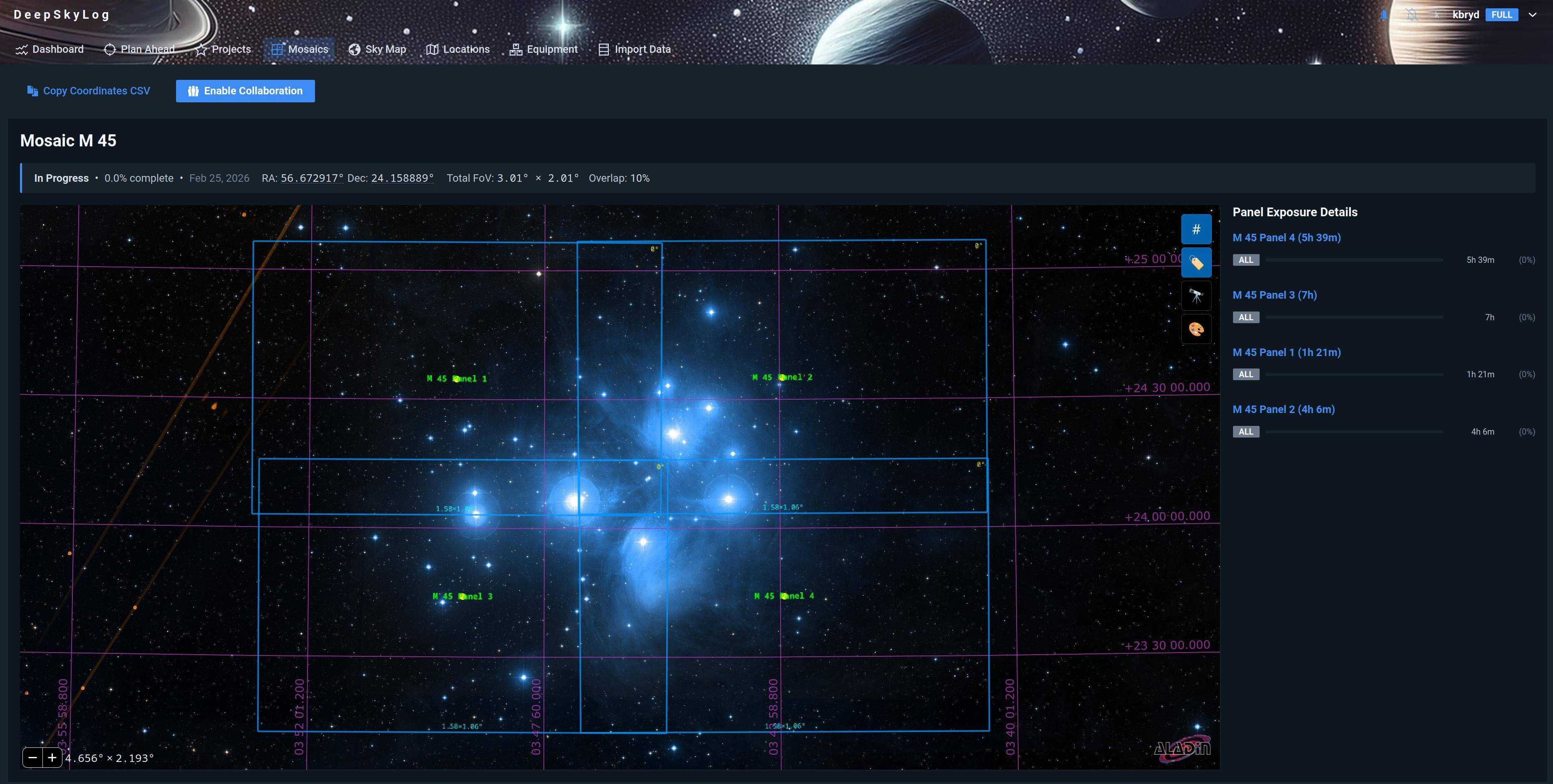
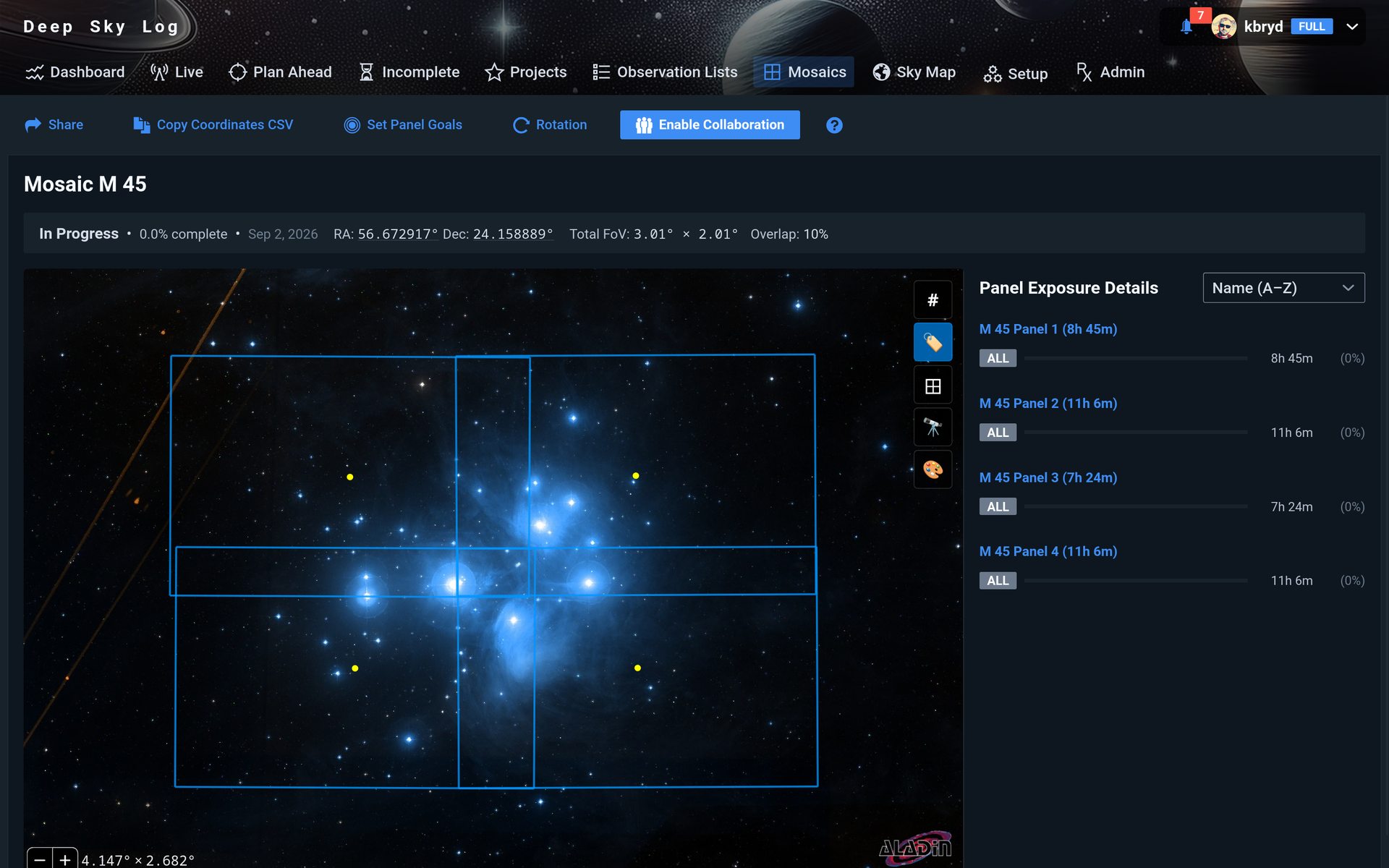
The sky map shows which regions of the sky you have already photographed, with your projects on top. Multi-panel mosaics are tracked panel by panel and shown together on the map.
Project planning
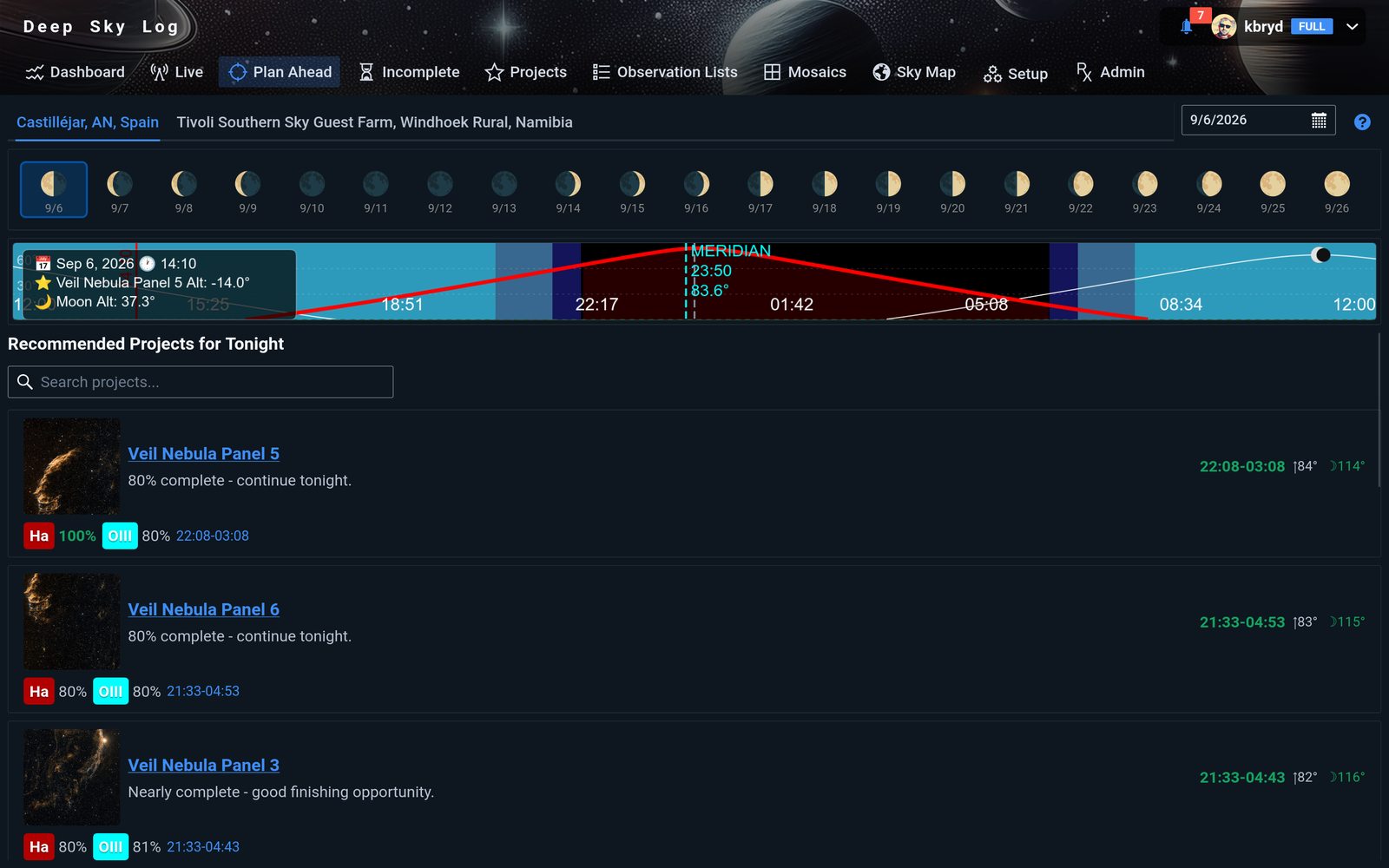
The planning charts show when each target can be photographed from your location. Plan Ahead compares those windows with your unfinished projects and ranks them for the night.
Not sure where to begin? Follow Your First Project with one night from your existing collection.